Security and Governance
Built for hospital controls, not bolted on after the fact.
EHR Insight is designed so analysts move faster without forcing IT to give up visibility. Connection access, object permissions, user administration, and activity oversight all stay explicit.
Access Model
Layered
Connection access and object permissions remain separate and explicit.
Visibility
Auditable
Usage and admin activity stay visible to IT and leadership.
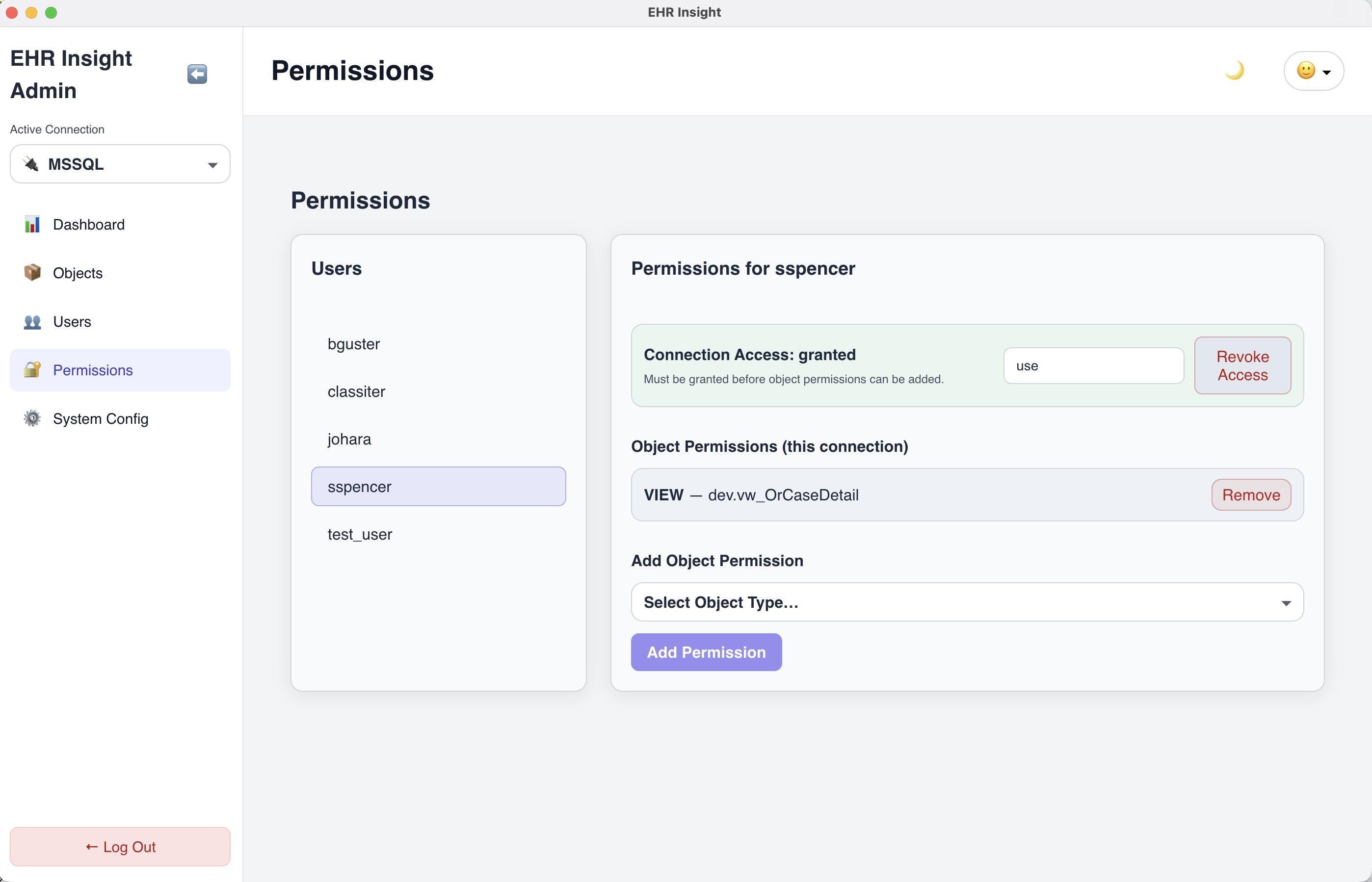
Object-level permissions tied to a specific connection so access stays intentional and reviewable.
Role-based access
Admin and user roles with controlled capabilities.
Object-level permissions
Grant access to tables and views explicitly.
Connection governance
Separate permissions per environment or database.
Auditable usage
Visibility into logins, runs, exports, and activity.
Permission Model
Granular permissions that match hospital reality.
Access is granted in two layers. Connection access controls who can use a given database connection, while object permissions control which tables, views, or functions can be queried.
That gives IT confidence without forcing analysts back into a reporting bottleneck.
User Administration
User management that operations teams can actually run.
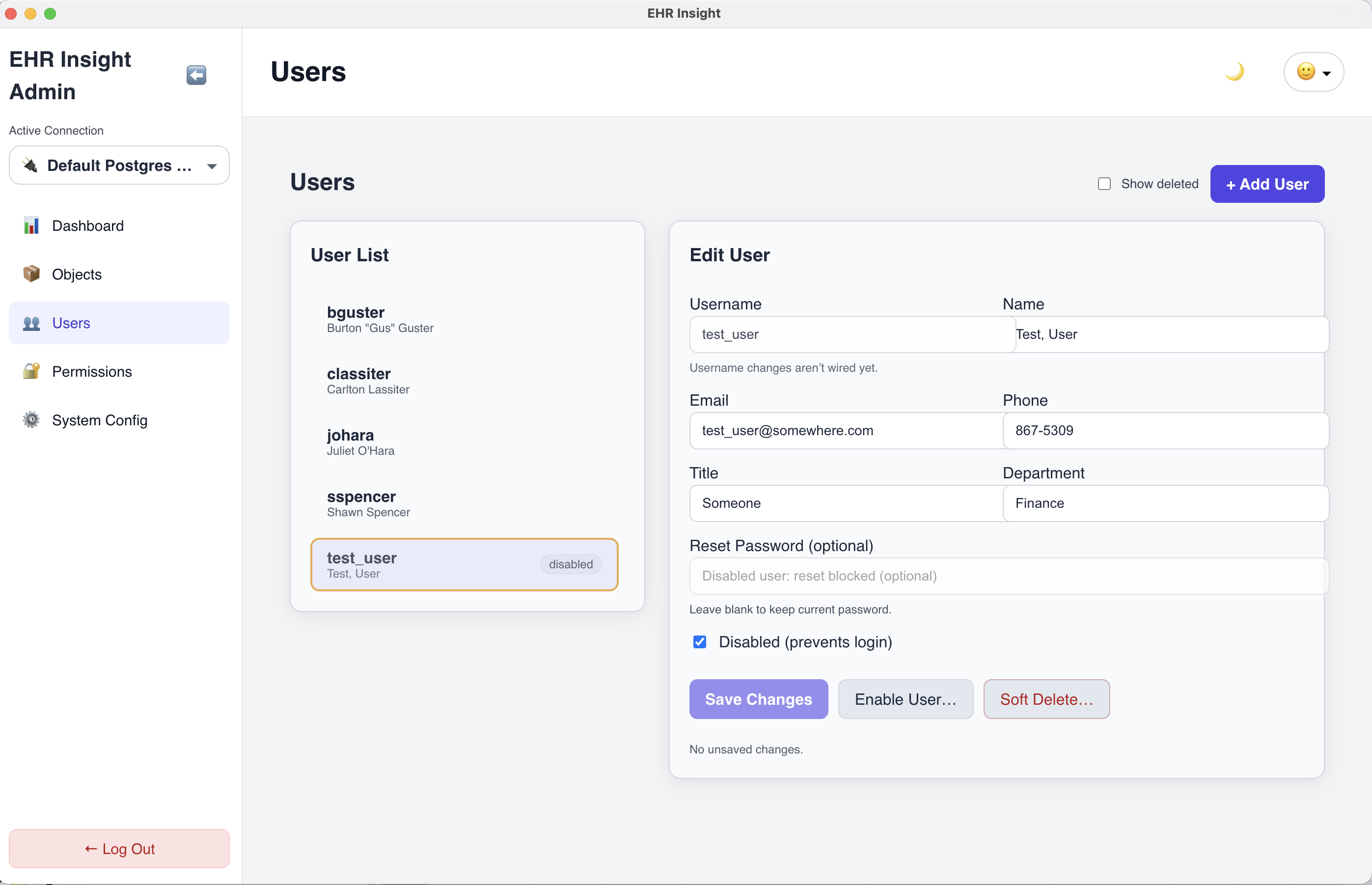
Admins can add users, disable access, reset credentials, and manage lifecycle without shared accounts or shadow access patterns.
- Enable or disable users with immediate effect
- Optional password reset workflow
- Soft-delete for safer deprovisioning
Connection Control
Separate environments and facilities without losing control.
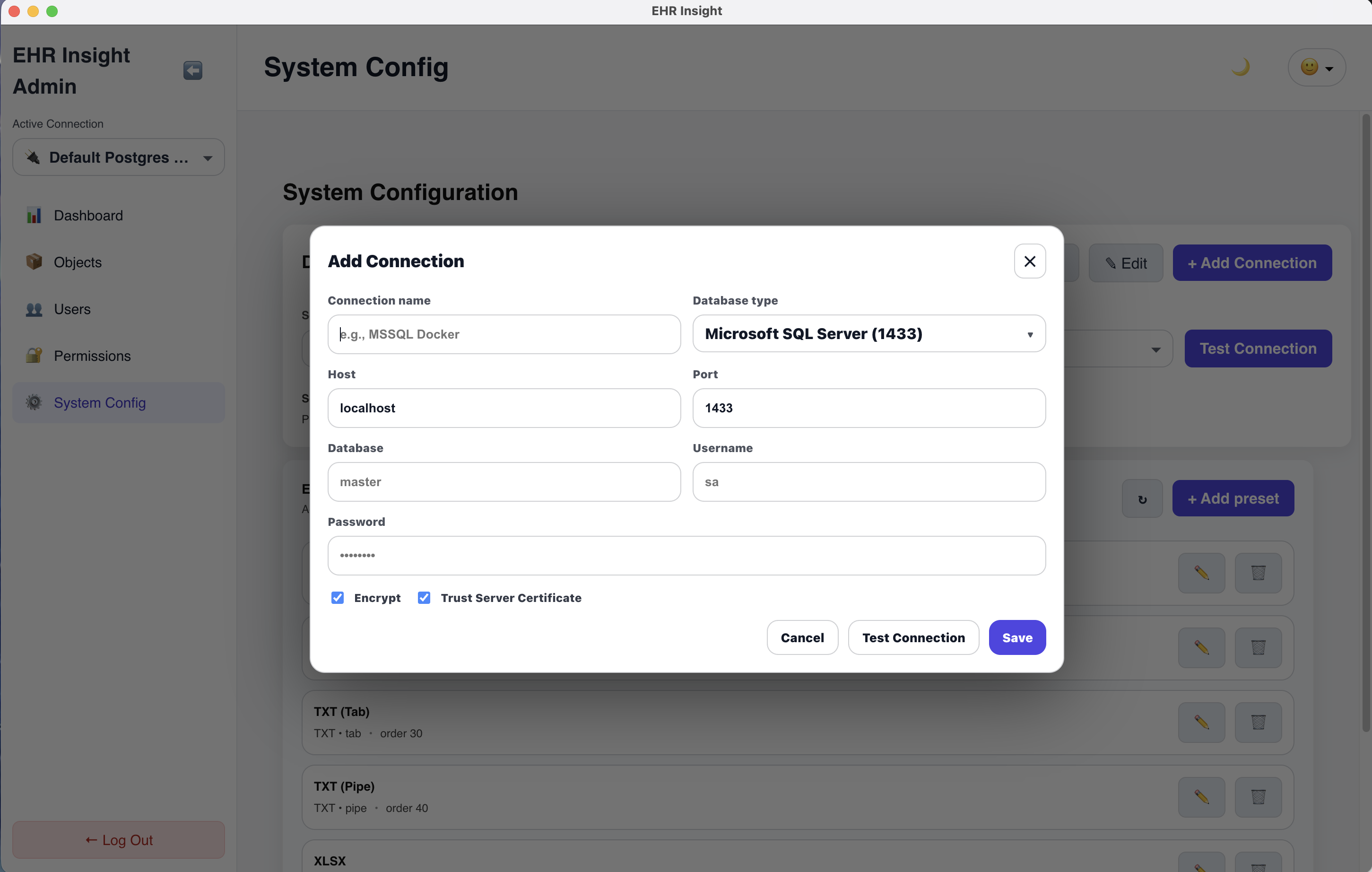
Define database connections and apply permissions independently per connection. That supports dev, test, and production separation as well as multi-facility workflows.
- Multiple connections per facility or environment
- Connection validation for cleaner setup
- Administrative visibility from the same console
Administrative Visibility
Visibility for leadership and IT stays in the same operating surface.
The administrative dashboard gives a quick snapshot across users, permissions, connections, and activity. That helps prove control and spot adoption or support issues early.
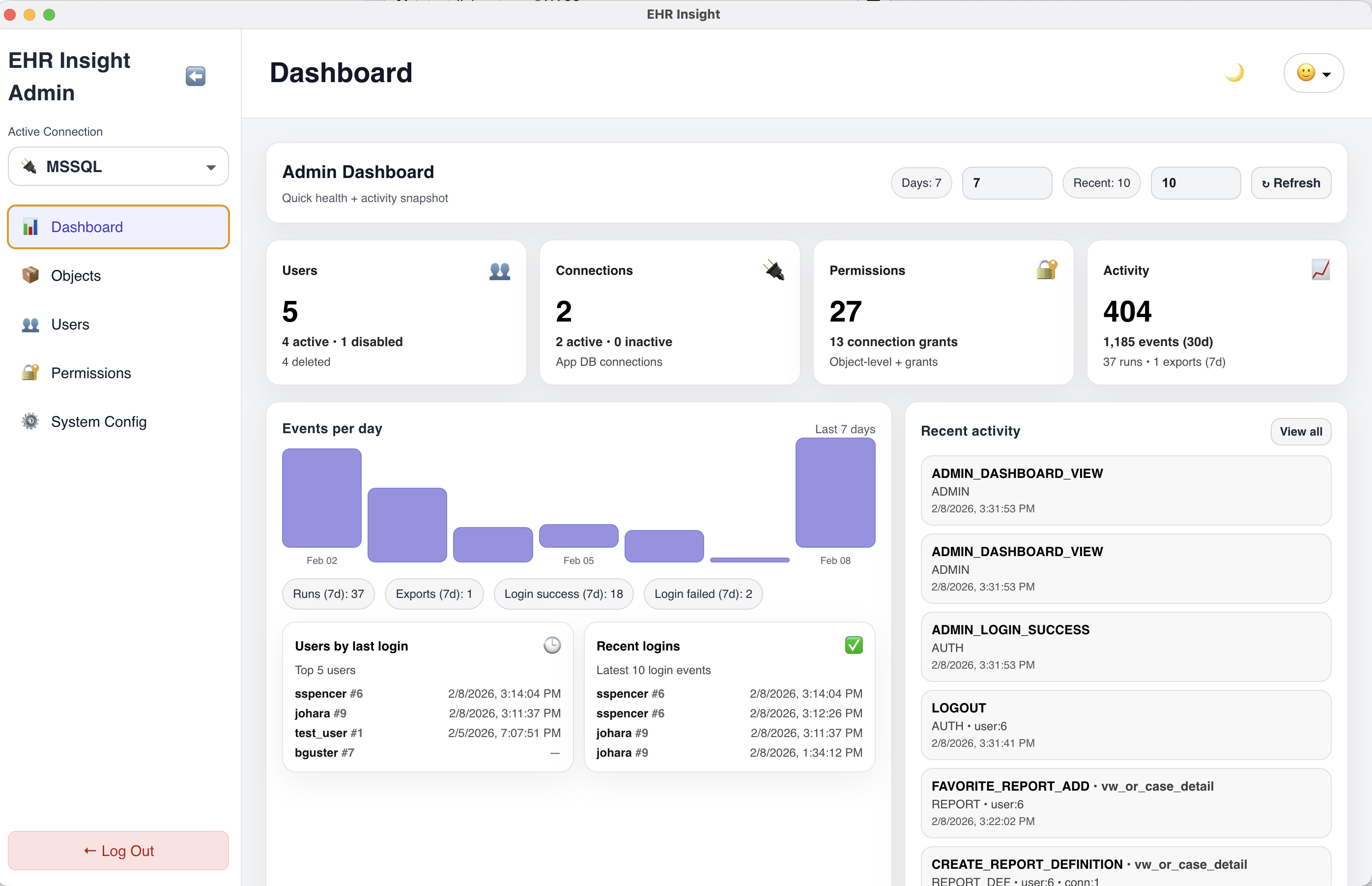
Governance Walkthrough
See connections, permissions, and reporting controls in one session.
The strongest proof here is not abstract compliance language. It is showing how governance is embedded directly into the reporting workflow your teams already need.