
Insight Pipeline
Operational extract delivery with monitoring, alerting, and deployment control.
Insight Pipeline is built for the recurring work that usually ends up spread across scripts, shared drives, and follow-up emails. Connections, schedules, export settings, alerting, and deployment details stay in one controlled surface.
Monitoring
Built-in
Overview and dashboard surfaces show health and execution quality.
Alerting
Configurable
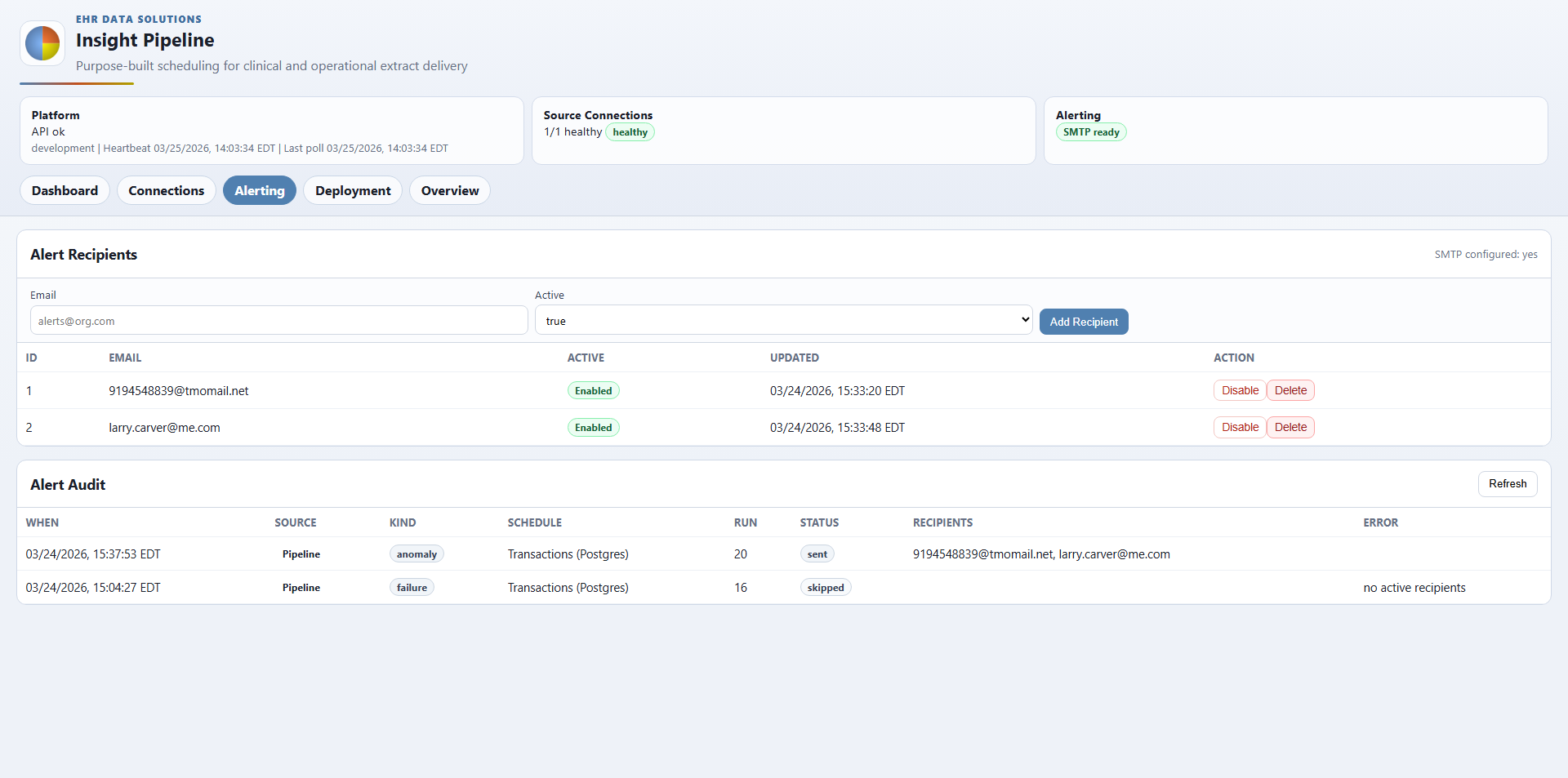
Recipient management and audit history stay visible.
Deployment
Explicit
Export templates, roots, and path audit checks are part of the product.
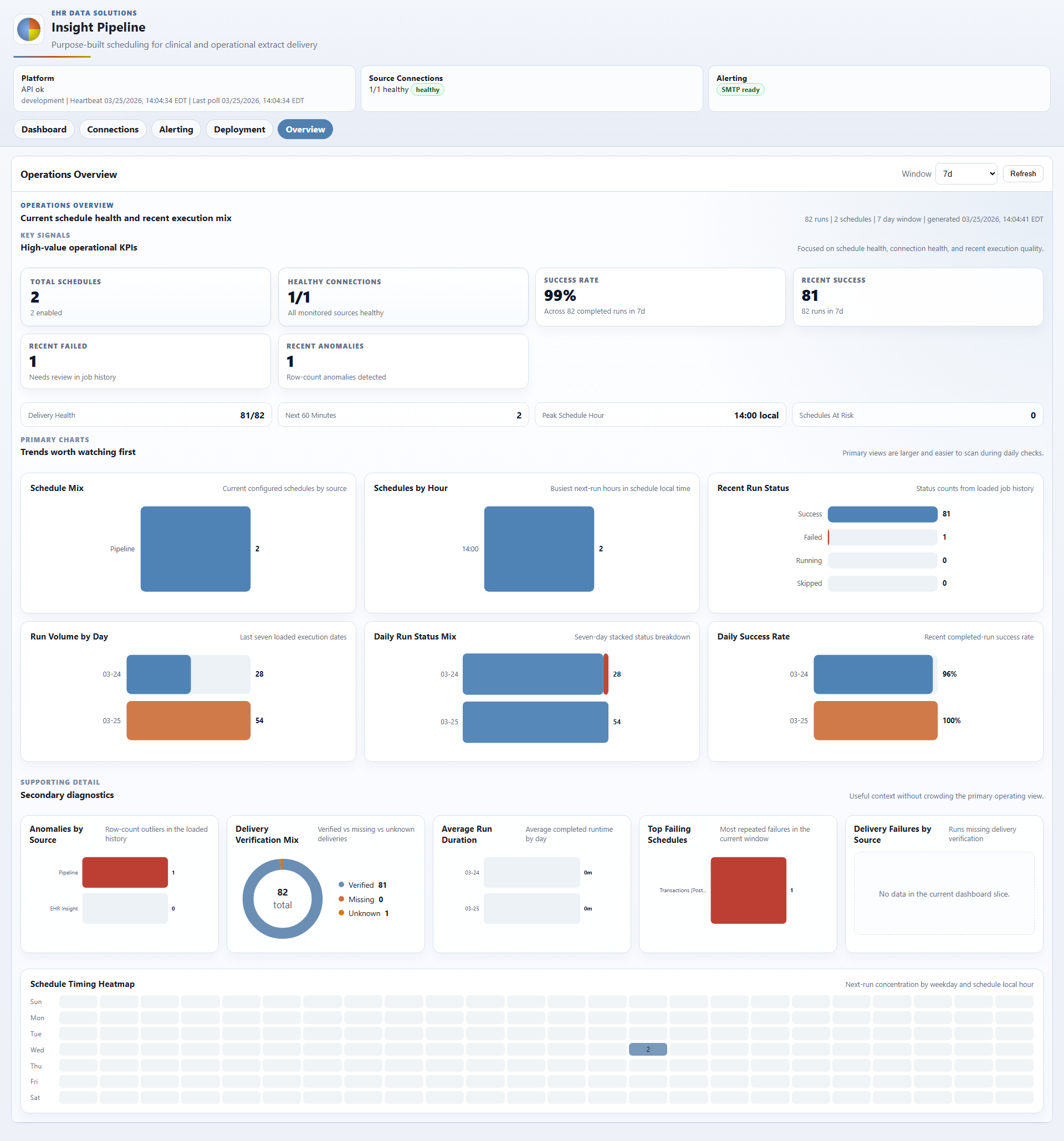
Overview screen with schedule health, success rate, recent failures, distribution checks, and timing visibility.
Operational View
One operating surface for repeat extracts.
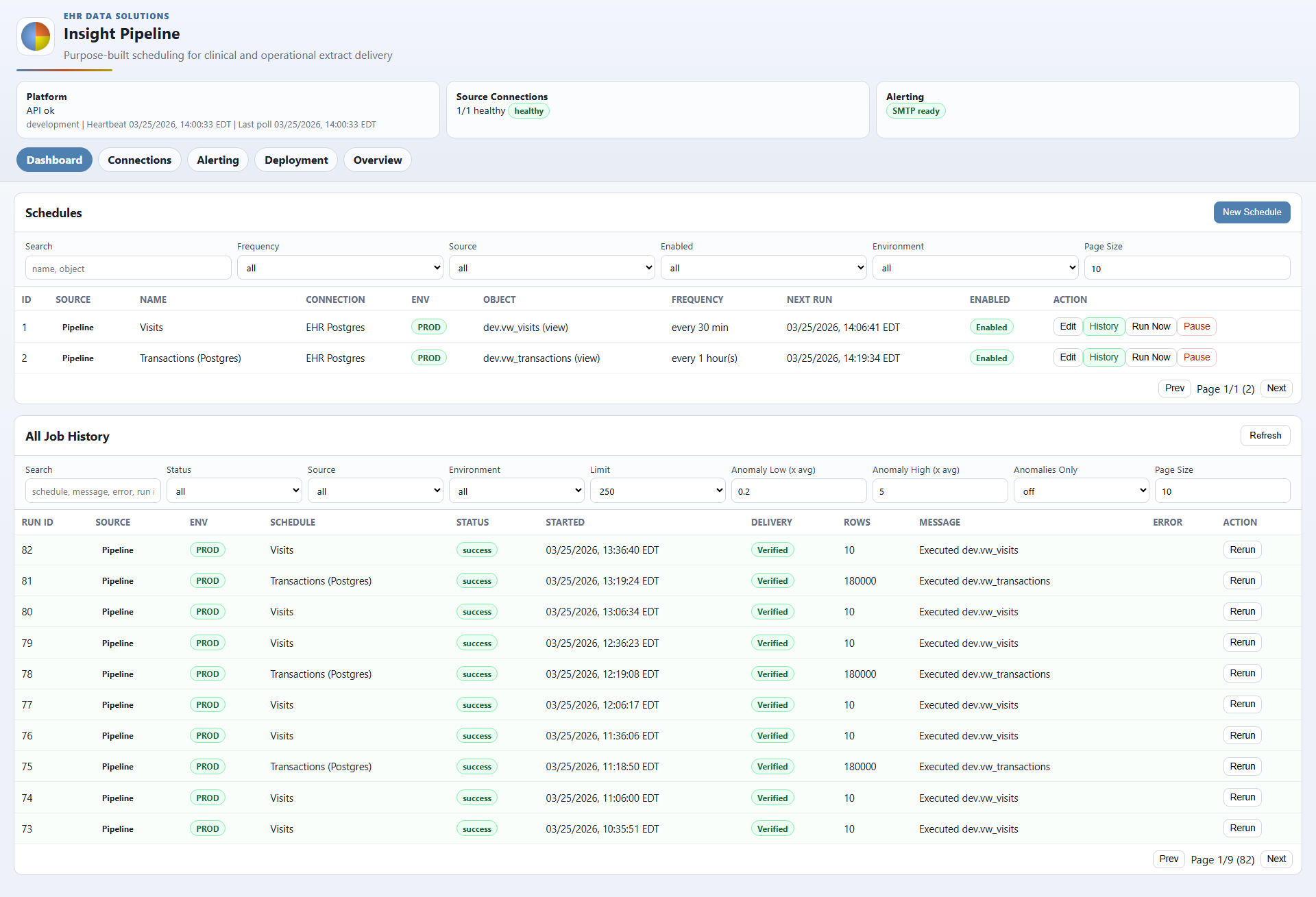
Current schedules, complete job history, connection controls, alerting, and deployment configuration all stay visible in one coherent operating model rather than being scattered across scripts and shared folders.
What it replaces
- Manual reruns and email follow-up for recurring extracts
- Unclear ownership around output destinations and templates
- Disconnected scripts with no alerting or audit trail
- Operational blind spots around schedule health and delivery quality
Workflow Surfaces
Current product screens across the operating workflow.
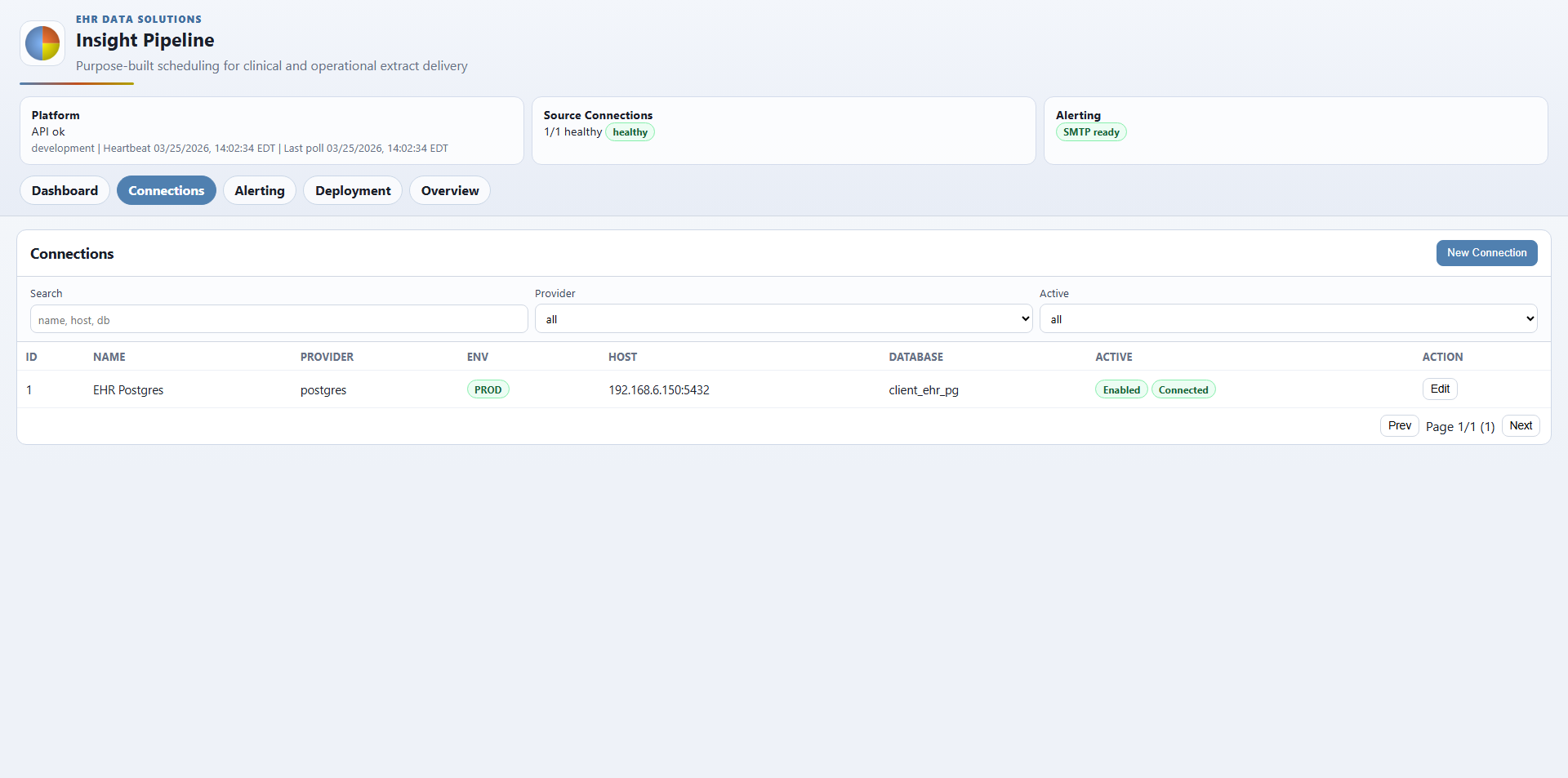
These screens show the operational cases teams care about most: scheduling, connection health, alerting, and deployment control.
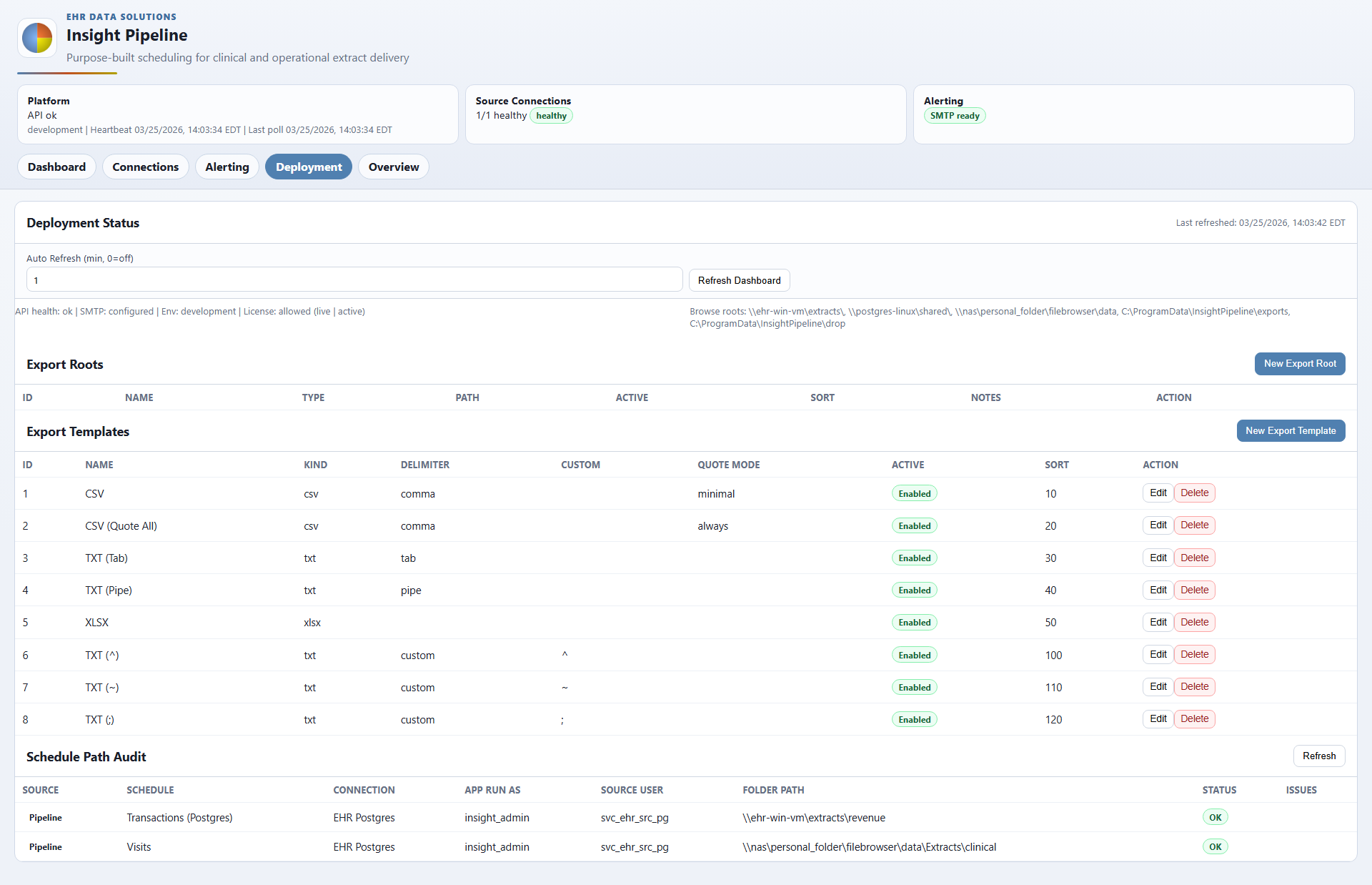
Deployment Control
Export roots, templates, and path checks stay visible to the team operating the system.
Deployment details stay inside the product instead of disappearing behind scripts or server-specific knowledge.
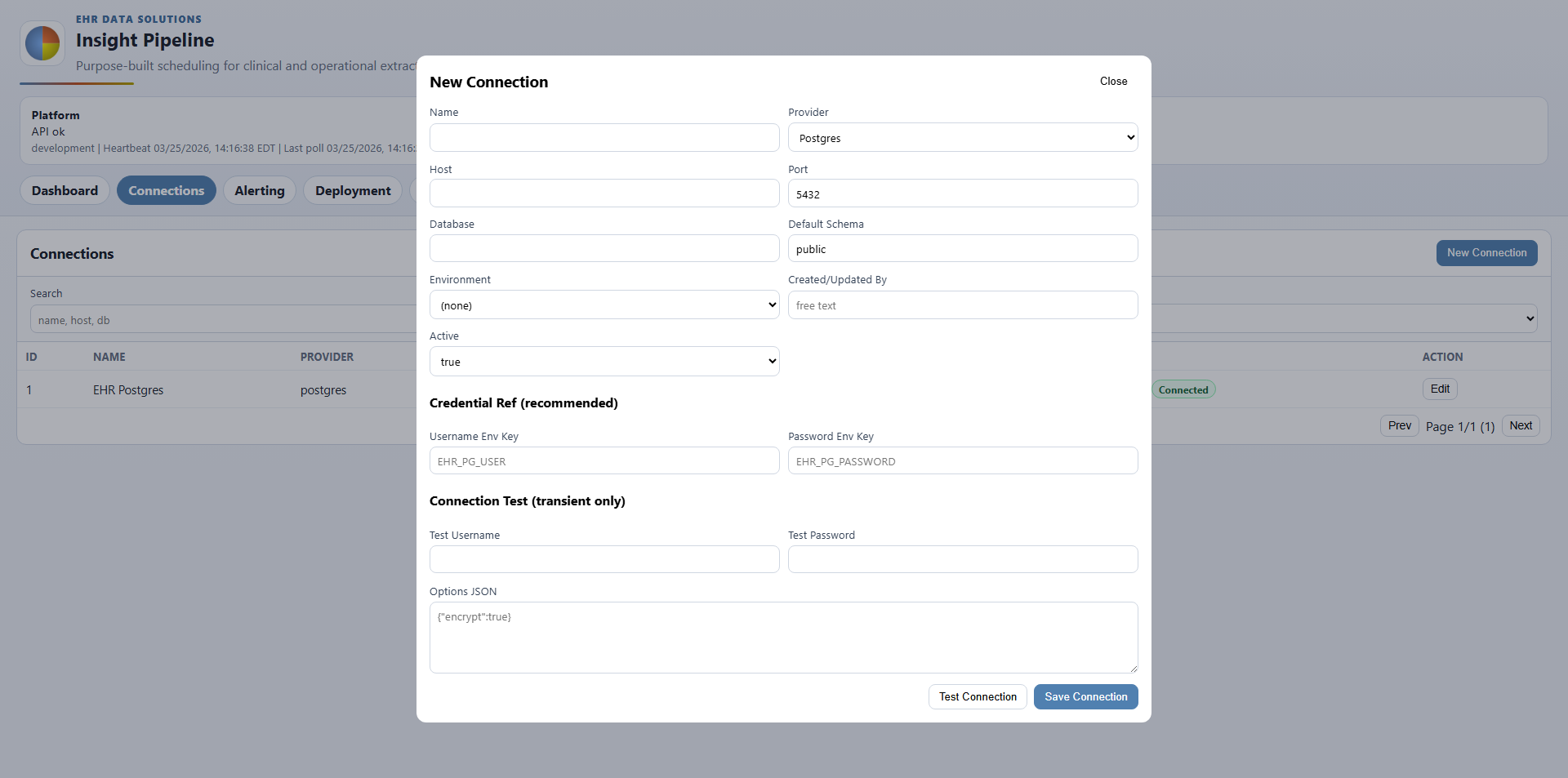
Connection Setup
New source setup is explicit about credentials, schema, environment, and validation.
That matters in hospital environments. The connection flow shows exactly what is being configured and gives operations teams a cleaner handoff into production use.
Operational Result
A cleaner handoff from ad hoc reporting into recurring delivery.
Use EHR Insight when analysts need governed self-service reporting. Use Insight Pipeline when that work becomes a recurring operational extract. That reflects how reporting demand often evolves in hospital environments.